

Some Blanchard courses include online discussion activities that allow learners to post comments and receive replies from others in their cohort. Project Trainers, Account Trainers, and Administrators can monitor discussions and post responses.
Discussions can be combined with other assignments, such as asking learners to watch a video or read an article and then share their thoughts. Alternatively, discussions can be enabled as standalone activities without accompanying assignments. Learners can view discussions and replies directly within their courses and will also receive daily email notifications when new discussion activity occurs.
Note that discussions are structured to align with specific pages or activities within a course, rather than functioning as an open discussion board where learners can create new topics or threads.
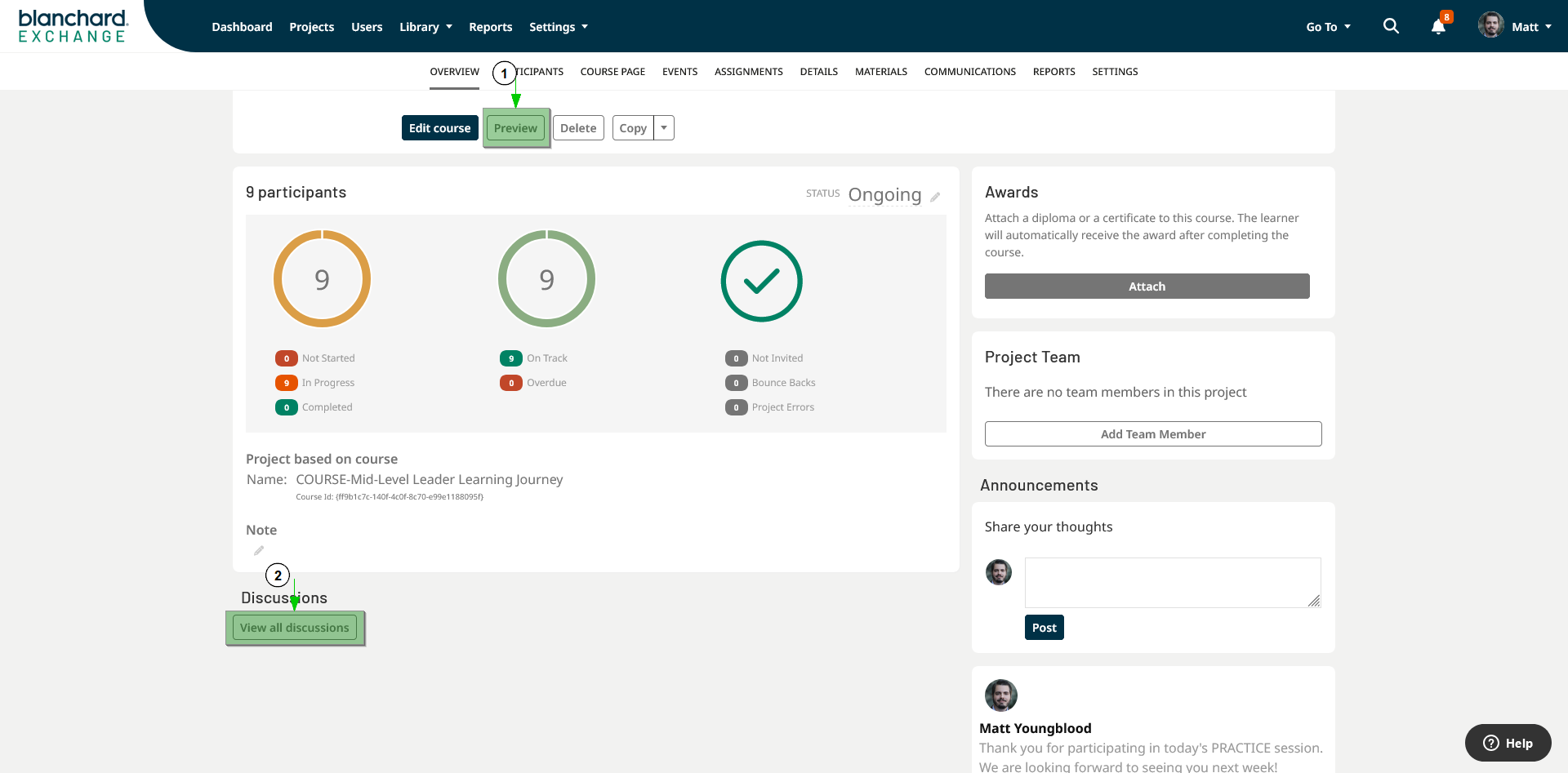
Figure 1
Project Trainers, Account Trainers, and Administrators can monitor discussions, post replies, and delete posts as needed. Discussion posts can be accessed by selecting the project’s Preview button and then navigating to the Discussions tab on the course introduction page (Figure 1-1). Select a discussion topic to view all participant posts, including the option to reply directly to an individual post (Figure 1-2).
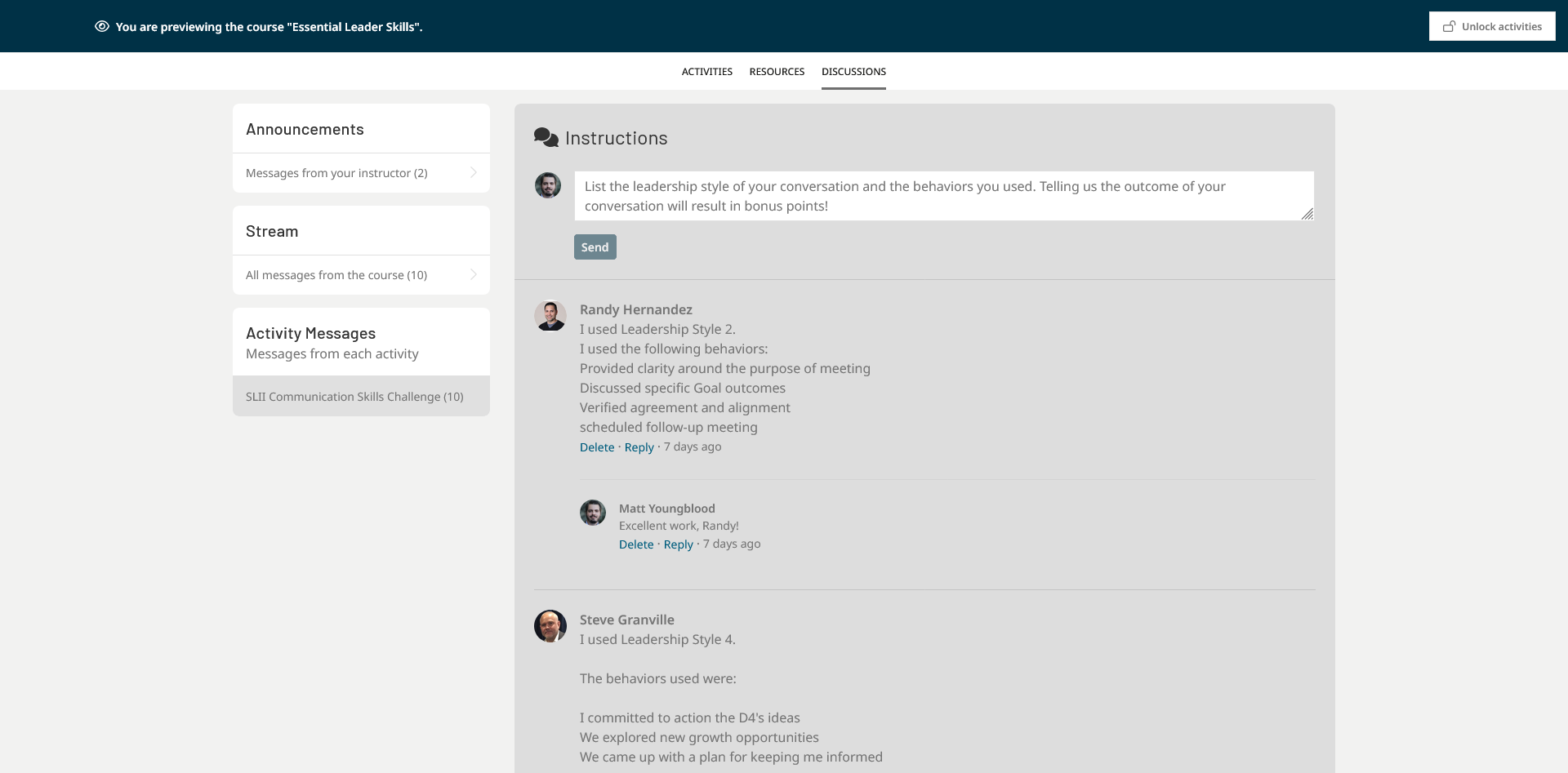
Figure 2
Discussions can also be accessed from the preview by selecting the Start Course Now button, then navigating to the activity that contains the discussion and opening the discussion activity (Figure 2). While the previous option allows you to reply only to existing discussion posts, accessing the discussion from within the course activity allows you to create new posts that are not tied to existing replies.
Posting Announcements
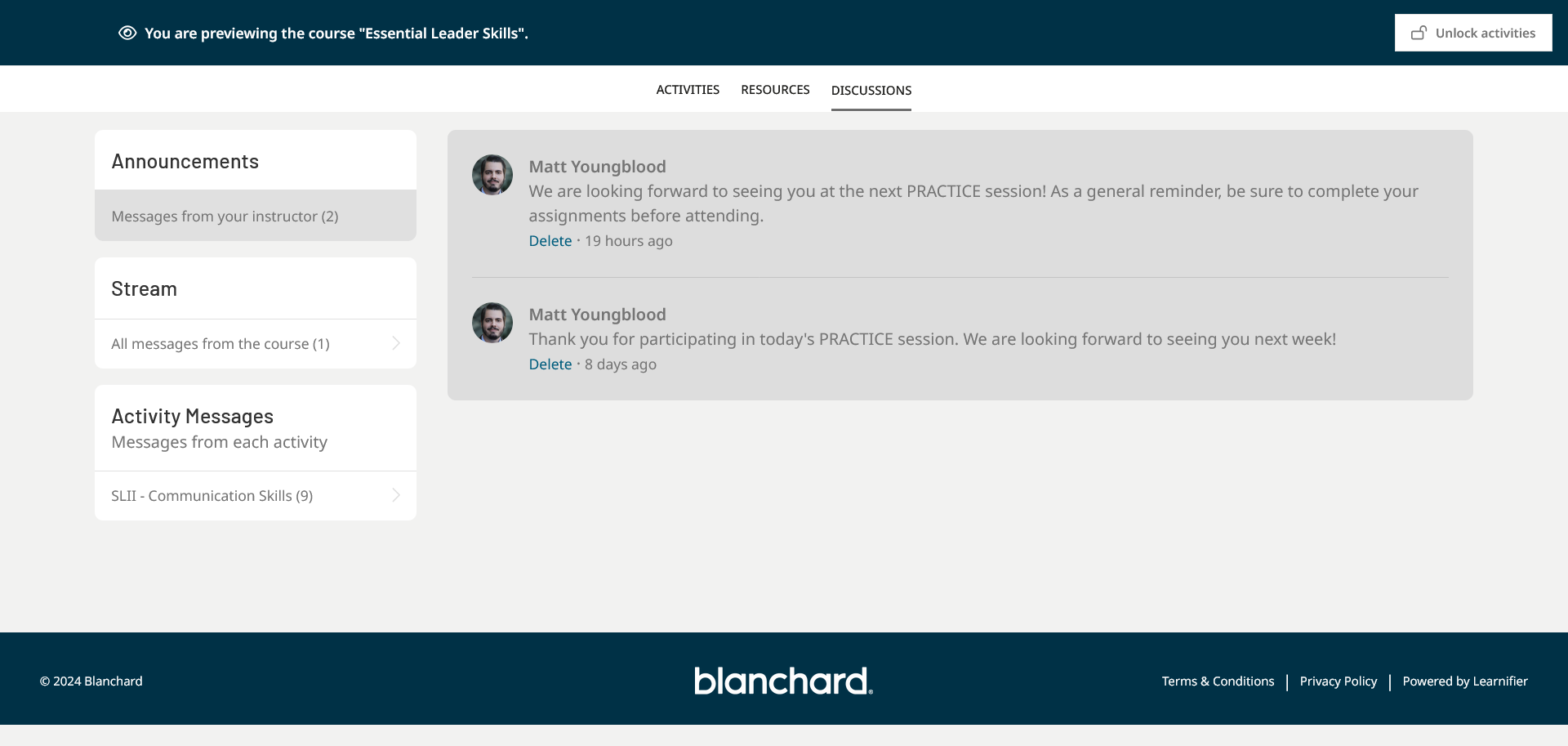
Figure 3
In addition to discussions, Trainers and Administrators can post one-way communications using the Announcements feature. Announcements are displayed under the Announcements tab on the course introduction page (Figure 3), where learners can view both current and past announcements.
Announcements are useful for sharing cohort-specific information, such as updates to training logistics, greetings, or messages from trainers.
Similar to discussions, announcements include a notification feature. Learners receive daily email notifications when new announcements are posted.
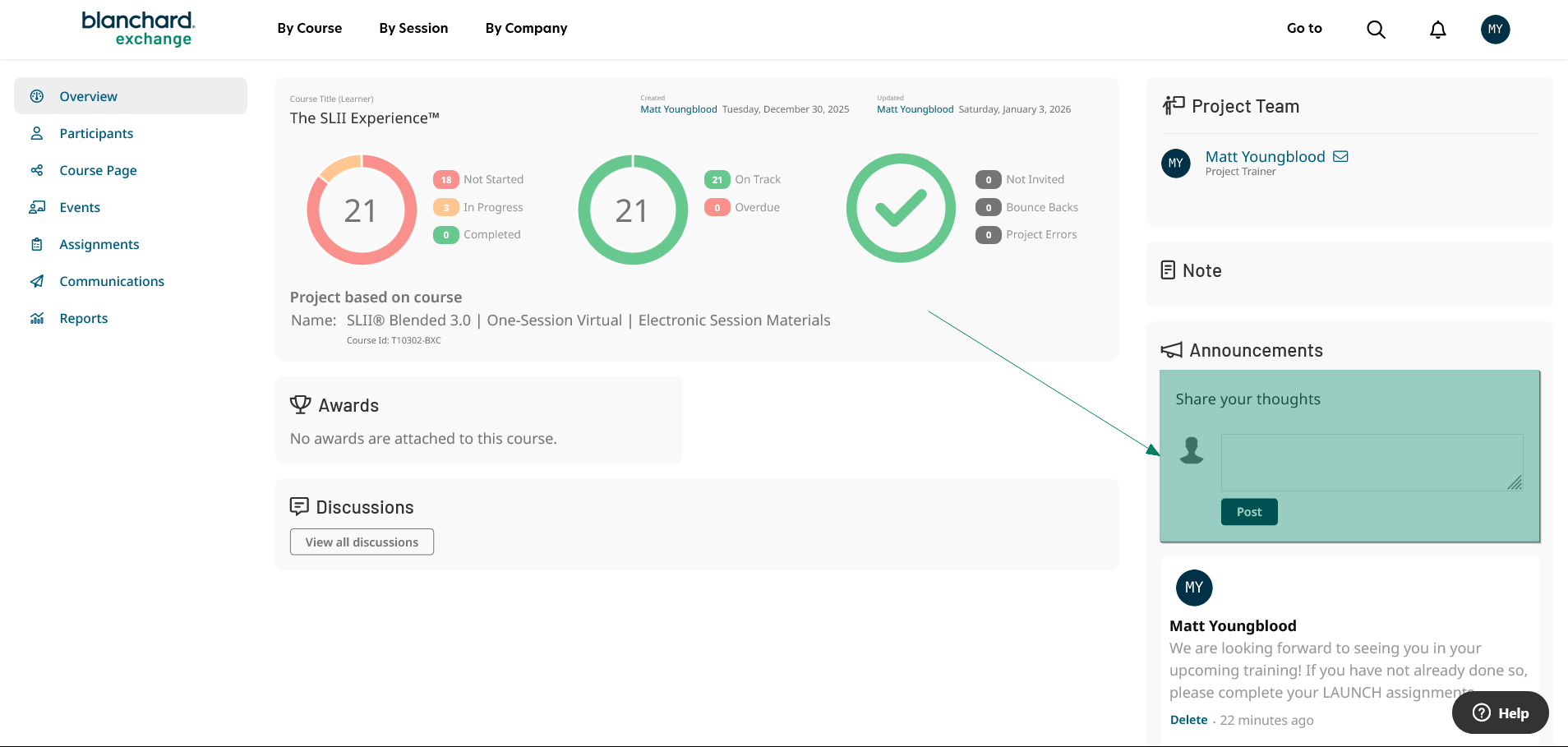
Figure 4
To post an announcement:
Go to the project’s Overview tab.
Locate the Announcements pane in the lower-right corner of the page (Figure 4).
Enter your announcement text, then select Post.
All previously posted announcements are listed below this pane. Administrators and Trainers can delete previously posted announcements*.
*Existing comments in both discussions and announcements cannot be edited. However, comments can be deleted and reposted. Learners can delete their own comments, while Trainers and Administrators can delete comments posted by any user.
Discussion Notifications
Learners automatically receive daily notifications for new discussion activity and announcements, as do users listed under the Project Team section of a project (for example, Project Trainers). Account Trainers who are not on the project team and wish to receive daily notifications of discussion activity can ask an administrator to add them to the project team.